Binance Web3 Wallet: How to Use the Built-In DeFi Wallet
Guide to the Binance Web3 wallet for DeFi access directly from the Binance app. Setup, features, and supported chains.
What Is the Binance Web3 Wallet?
Binance has a built-in Web3 wallet directly in the Binance app. It lets you interact with DeFi protocols without needing MetaMask or other external wallets.
Key Features
- Multi-chain support: BNB Chain, Ethereum, Polygon, Arbitrum, and more
- Built into Binance app: No separate wallet app needed
- Self-custodial: You control your keys (MPC technology)
- DApp browser: Access DeFi directly from the wallet
- Token swaps: Cross-chain swaps built in
Setting Up the Web3 Wallet
- Open the Binance app
- Go to Wallets → Web3
- Click Create Wallet
- Back up your recovery phrase (critical!)
- Your wallet is ready
Transferring Funds
From your Binance exchange account to Web3 wallet:
- Open the Web3 wallet
- Click Receive or Transfer
- Select the asset and network
- Transfer from your spot wallet (low/zero internal fee)
Using DeFi with the Web3 Wallet
- In the Web3 wallet, tap Discover
- Browse DeFi protocols by category
- Connect to any supported DApp
- Confirm transactions in the wallet
Supported Activities
- Swap tokens across chains
- Provide liquidity on DEXs
- Lend and borrow on lending protocols
- Stake tokens for yield
- Mint and trade NFTs
- Bridge assets between chains
Security
The Web3 wallet uses MPC (Multi-Party Computation) technology:
- Private key is split into 3 parts
- No single point of failure
- You can recover with 2 of 3 key shares
Tips
- Start with BNB Chain — lowest gas fees
- Keep BNB/ETH for gas on each chain you use
- Double-check URLs before connecting to DApps
- Revoke approvals you no longer use
- Start small until you’re comfortable
Get 20% Off Binance Trading Fees with RATE20
New to Binance? Open the official signup page with RATE20 already applied for a 20% trading-fee discount. You do not need to copy or type the code. Review the referral details before completing registration.
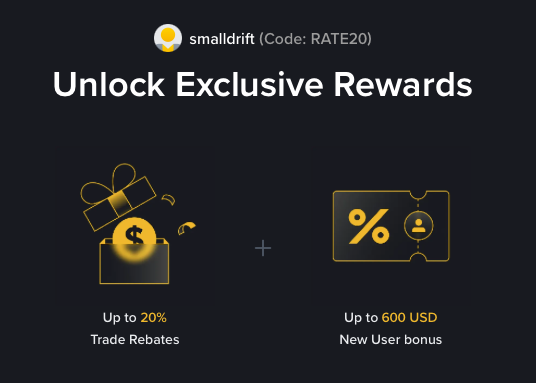
- Referral code: RATE20, pre-applied by this link
- Fee discount: 20%, shown on the Binance signup screen
- Additional rewards: Check Binance for current promotions and regional availability
Be wary of unofficial referral offers promising benefits they cannot show. The Binance signup screen lets you check the code and fee discount directly.
Compare Binance fees and available discounts →
SmallDrift may earn a commission when you sign up through this link. Trading involves risk, including loss of capital.
Related Articles

Explore Related Guides
Daily Crypto Market News
Follow Bitcoin price moves, major altcoins, and the events shaping the market.
Bitcoin ETF Flows Guide
Understand ETF inflows and outflows, and how to read them alongside price action.
Binance Fee Calculator
Learn how to estimate trading costs with referral and BNB discounts.
Verified Binance Referral Guide
See how RATE20 is applied and what to check on the Binance signup screen.