Binance KYC Verification Guide 2026: Complete Step-by-Step
How to complete Binance identity verification (KYC) quickly. Required documents, common issues, and tips for fast approval.

Binance KYC Verification Guide
KYC (Know Your Customer) verification is required to use most Binance features. Here’s how to complete it quickly.

Required Documents
You need ONE of the following:
- Passport (recommended — highest approval rate)
- National ID card (front and back)
- Driver’s license (front and back)
Step-by-Step Process
Step 1: Start Verification
Go to Account → Identification → Verify
Step 2: Select Your Country
Choose your country of residence. This determines which documents are accepted.
Step 3: Upload Documents
- Take clear photos of your ID
- Ensure all text is readable
- No glare, shadows, or cropping
- All four corners must be visible
Step 4: Facial Verification
- Take a selfie following the on-screen instructions
- Ensure good lighting
- Remove glasses and hats
- Look directly at the camera
Step 5: Wait for Approval
- Automated approval: 2-10 minutes
- Manual review: 1-3 business days (rare)
Common Rejection Reasons
| Issue | Fix |
|---|---|
| Blurry photo | Retake in good lighting |
| ID expired | Use a valid, non-expired ID |
| Face doesn’t match | Ensure same person as ID |
| Wrong document type | Use passport/ID/license only |
| Cropped corners | Show full document |
Tips for Fast Approval
- Use a passport — highest auto-approval rate
- Take photos in bright, natural light
- Use a plain background
- Don’t use screenshots — take actual photos
- Ensure your face is clearly visible in selfie
What Can You Do Without KYC?
Very little. Without KYC you cannot:
- Deposit or withdraw fiat
- Withdraw crypto (above small limits)
- Trade futures
- Use most Binance features
KYC is essentially mandatory for any meaningful use of Binance.
Get 20% Off Binance Trading Fees with RATE20
New to Binance? Open the official signup page with RATE20 already applied for a 20% trading-fee discount. You do not need to copy or type the code. Review the referral details before completing registration.
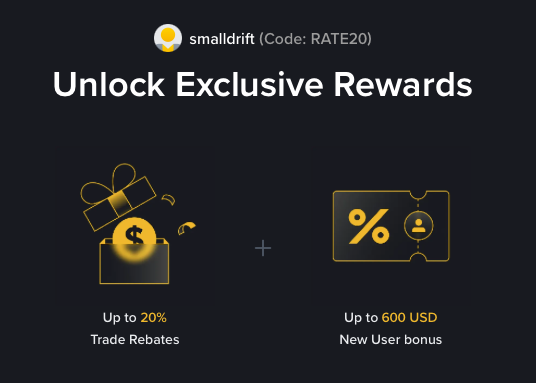
- Referral code: RATE20, pre-applied by this link
- Fee discount: 20%, shown on the Binance signup screen
- Additional rewards: Check Binance for current promotions and regional availability
Be wary of unofficial referral offers promising benefits they cannot show. The Binance signup screen lets you check the code and fee discount directly.
Compare Binance fees and available discounts →
SmallDrift may earn a commission when you sign up through this link. Trading involves risk, including loss of capital.
Related Articles
Explore Related Guides
Daily Crypto Market News
Follow Bitcoin price moves, major altcoins, and the events shaping the market.
Bitcoin ETF Flows Guide
Understand ETF inflows and outflows, and how to read them alongside price action.
Binance Fee Calculator
Learn how to estimate trading costs with referral and BNB discounts.
Verified Binance Referral Guide
See how RATE20 is applied and what to check on the Binance signup screen.