Binance API Trading: How to Set Up Automated Trading Bots
Guide to Binance API trading. Create API keys, connect trading bots, and automate your trading strategy.
What Is API Trading?
API (Application Programming Interface) trading lets you connect external software — trading bots, custom scripts, or portfolio managers — to your Binance account.
Creating API Keys
- Go to Account → API Management
- Click Create API
- Choose API type:
- System Generated: Standard API key
- Self-Generated: For advanced users (Ed25519)
- Name your API key
- Complete security verification
- Save your API Key and Secret Key
Important: The Secret Key is shown only once. Save it securely.
API Key Security
Permissions
| Permission | Enable? |
|---|---|
| Read | Yes (always needed) |
| Spot Trading | Yes (if trading) |
| Futures Trading | Yes (if trading futures) |
| Withdrawals | NO (never enable for bots) |
IP Restrictions
Always restrict API keys to specific IP addresses. This prevents unauthorized use even if the key is leaked.
Popular Trading Bots
| Bot | Type | Cost |
|---|---|---|
| 3Commas | Cloud-based | $14.50+/mo |
| Pionex | Built-in bots | Free |
| Hummingbot | Open source | Free |
| Freqtrade | Open source | Free |
| Custom Python | DIY | Free |
Basic Python Example
# Install: pip install python-binance
from binance.client import Client

client = Client(api_key, api_secret)

# Get BTC price
ticker = client.get_symbol_ticker(symbol="BTCUSDT")
print(f"BTC Price: {ticker['price']}")

# Place a limit buy order
order = client.create_order(
    symbol='BTCUSDT',
    side='BUY',
    type='LIMIT',
    quantity=0.001,
    price='95000',
    timeInForce='GTC'
)
Rate Limits
Binance enforces API rate limits:
- 1200 requests per minute for order-related endpoints
- 2400 weight per minute for general endpoints
- Exceeding limits results in temporary IP ban
Tips
- Start with testnet — Binance has a futures testnet for testing
- Never enable withdrawal permission on bot API keys
- Always use IP restrictions
- Monitor bot performance — don’t set and forget
- Use WebSocket for real-time data instead of polling
Get 20% Off Binance Trading Fees with RATE20
New to Binance? Open the official signup page with RATE20 already applied for a 20% trading-fee discount. You do not need to copy or type the code. Review the referral details before completing registration.
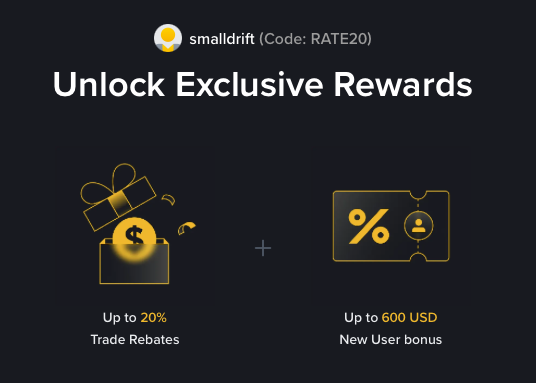
- Referral code: RATE20, pre-applied by this link
- Fee discount: 20%, shown on the Binance signup screen
- Additional rewards: Check Binance for current promotions and regional availability
Be wary of unofficial referral offers promising benefits they cannot show. The Binance signup screen lets you check the code and fee discount directly.
Compare Binance fees and available discounts →
SmallDrift may earn a commission when you sign up through this link. Trading involves risk, including loss of capital.
Related Articles
Explore Related Guides
Daily Crypto Market News
Follow Bitcoin price moves, major altcoins, and the events shaping the market.
Bitcoin ETF Flows Guide
Understand ETF inflows and outflows, and how to read them alongside price action.
Binance Fee Calculator
Learn how to estimate trading costs with referral and BNB discounts.
Verified Binance Referral Guide
See how RATE20 is applied and what to check on the Binance signup screen.