How to Set Stop-Loss on Binance: Spot and Futures Guide
Step-by-step guide to setting stop-loss orders on Binance spot and futures trading. Protect your capital with proper risk management.

Why Stop-Losses Are Essential
A stop-loss automatically closes your position at a predetermined price to limit losses. Without one, a bad trade can wipe out your account.
Setting Stop-Loss on Spot
Method 1: Stop-Limit Order
- Go to Spot trading
- Select Stop-Limit order type
- Set Stop price (trigger price)
- Set Limit price (execution price, slightly below stop)
- Enter quantity
- Click Sell
Example: You bought BTC at $100,000
- Stop price: $97,000 (trigger)
- Limit price: $96,800 (execution)
- This limits your loss to ~3%
Method 2: OCO Order (Recommended)
OCO (One-Cancels-Other) sets both take-profit and stop-loss simultaneously:
- Select OCO order type
- Set Limit sell price (take-profit)
- Set Stop price and Limit price (stop-loss)
- When one triggers, the other cancels
Setting Stop-Loss on Futures
Method 1: Stop Market
- Open your futures position
- Click Stop Market in the order panel
- Enter stop price
- This guarantees execution (may have slippage)
Method 2: Through Position Panel
- Find your open position
- Click the TP/SL button
- Enter your stop-loss price
- Confirm
Where to Place Your Stop-Loss
| Strategy | Stop-Loss Level |
|---|---|
| Tight (scalping) | 0.5-1% below entry |
| Medium (day trade) | 1-3% below entry |
| Wide (swing trade) | 5-10% below entry |
| ATR-based | 1.5-2x ATR below entry |
Common Mistakes
- No stop-loss at all — the biggest mistake
- Stop too tight — gets triggered by normal volatility
- Moving stop further away — defeats the purpose
- Stop at round numbers — everyone else’s stop is there too
- Using stop-limit in fast markets — may not fill; use stop-market
Verify Before You Sign Up — Don't Get Scammed
Many sites advertise fake referral discounts that don't actually apply. Before signing up through any referral link, always verify the referral code and discount rate shown on the Binance registration page. Here's proof of our verified referral:
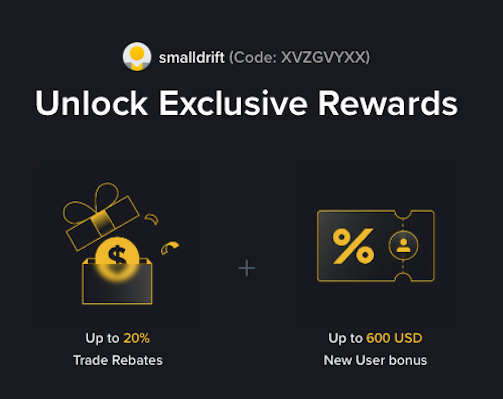
- Referral Code: XVZGVYXX
- Trade Rebate: Up to 20% on every trade (lifetime)
- New User Bonus: Up to 600 USD
If the registration page does not show these benefits, do not proceed. Only sign up when you can confirm the referral code and discount are applied.